
In the field · Mobile & web
Record a trap check
Record an empty check, a sprung trap or fresh bait against an existing trap.
Mobile app instructions
01
Open the trap
Select the trap on the map, then tap Open.
02
Record what you found
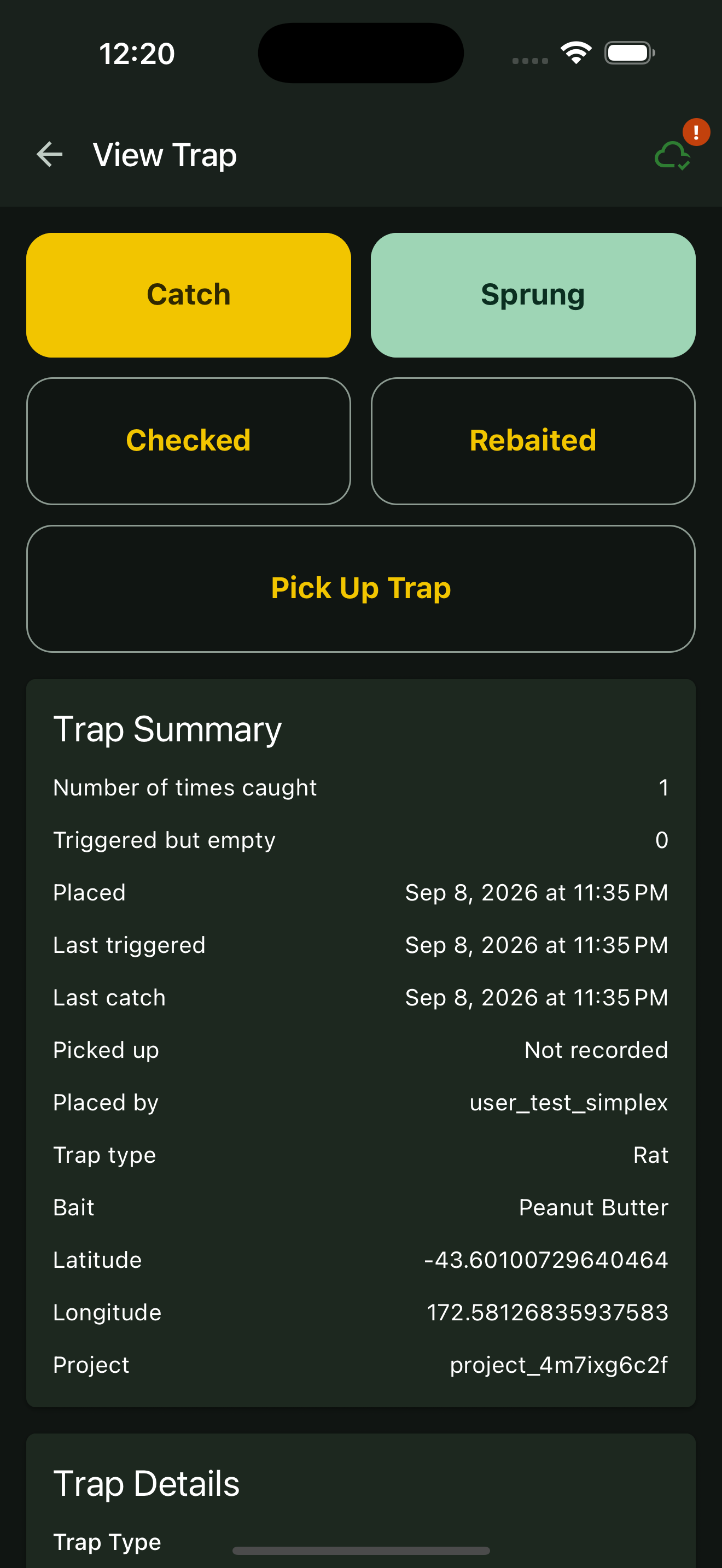
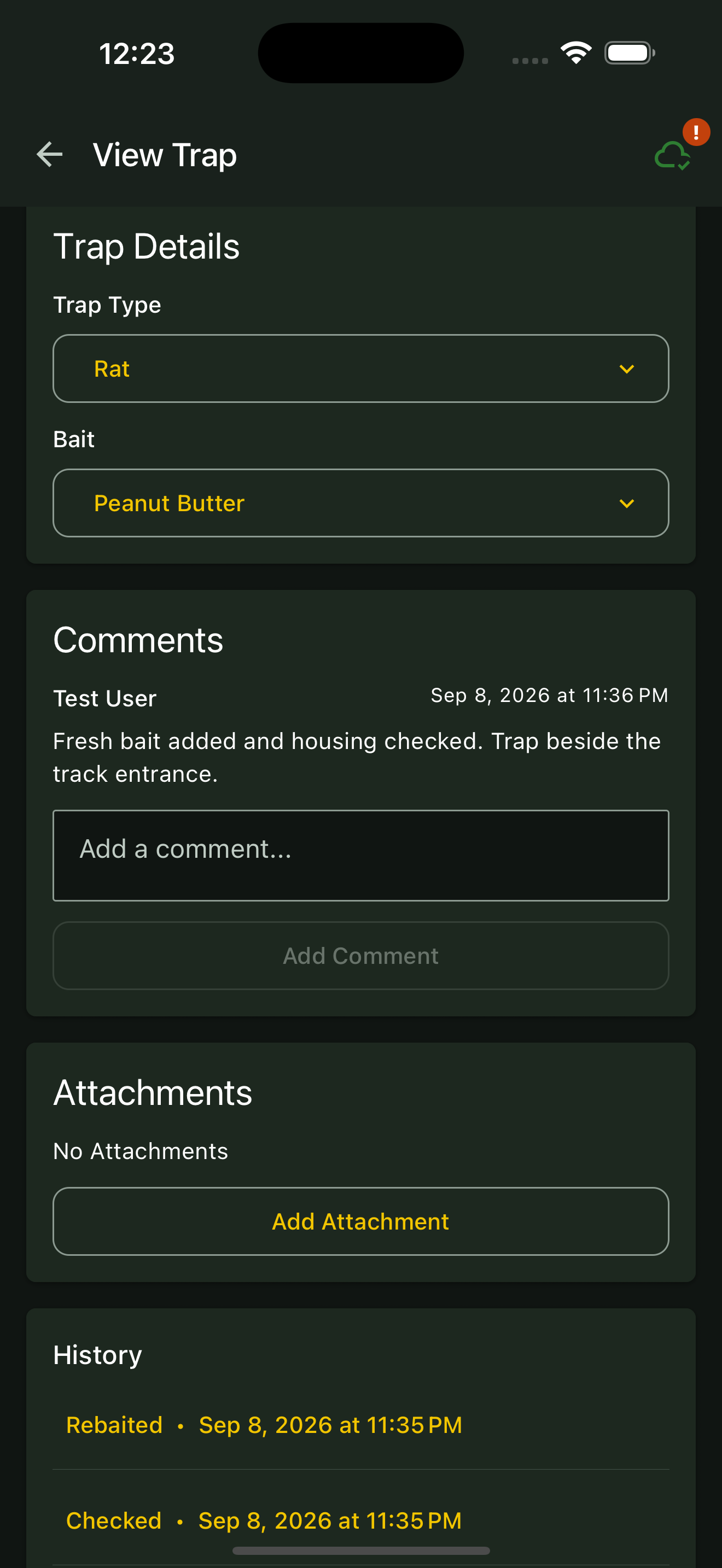
Tap Checked to record a visit with no catch. If the trap was triggered but empty, use Sprung. For a trapped pest, follow Record a catch.
03
Record fresh bait or maintenance
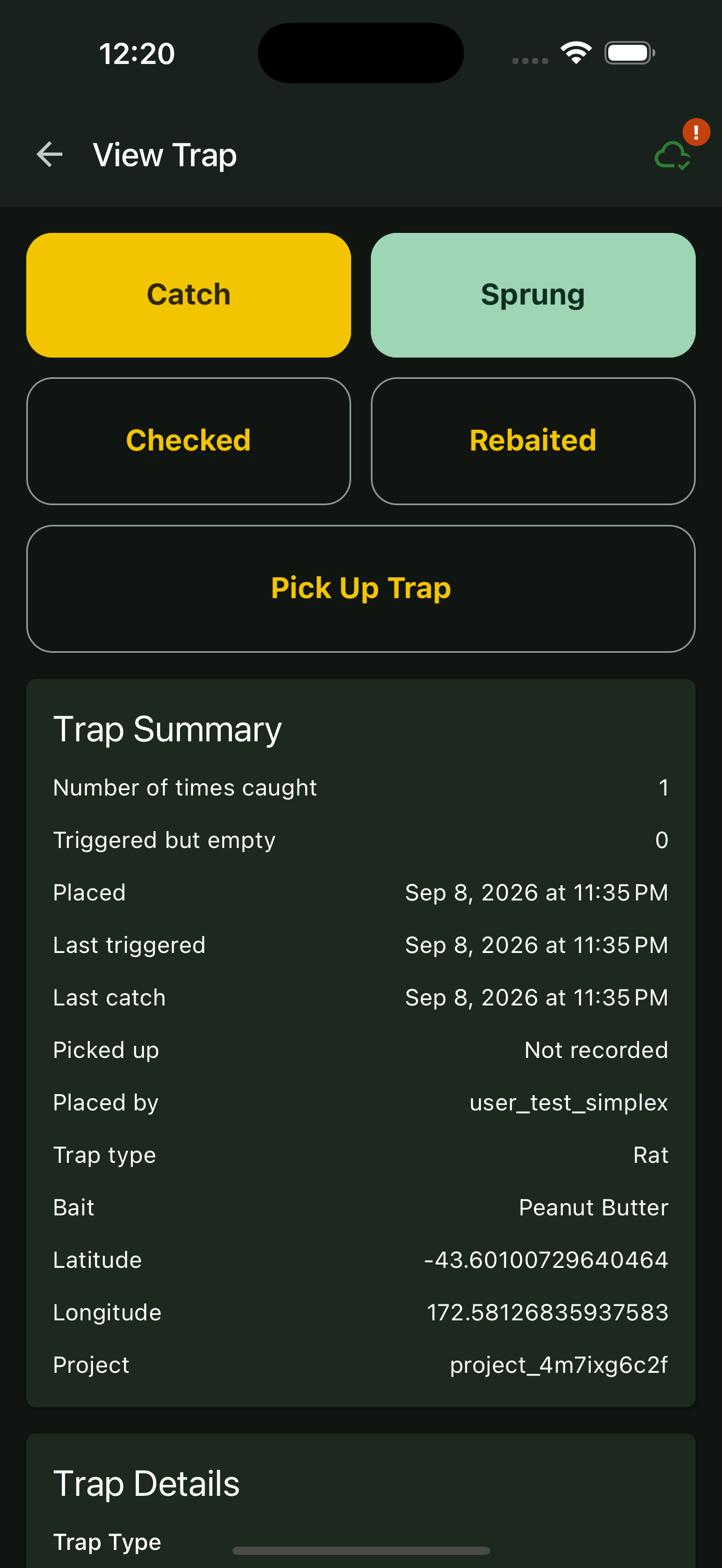
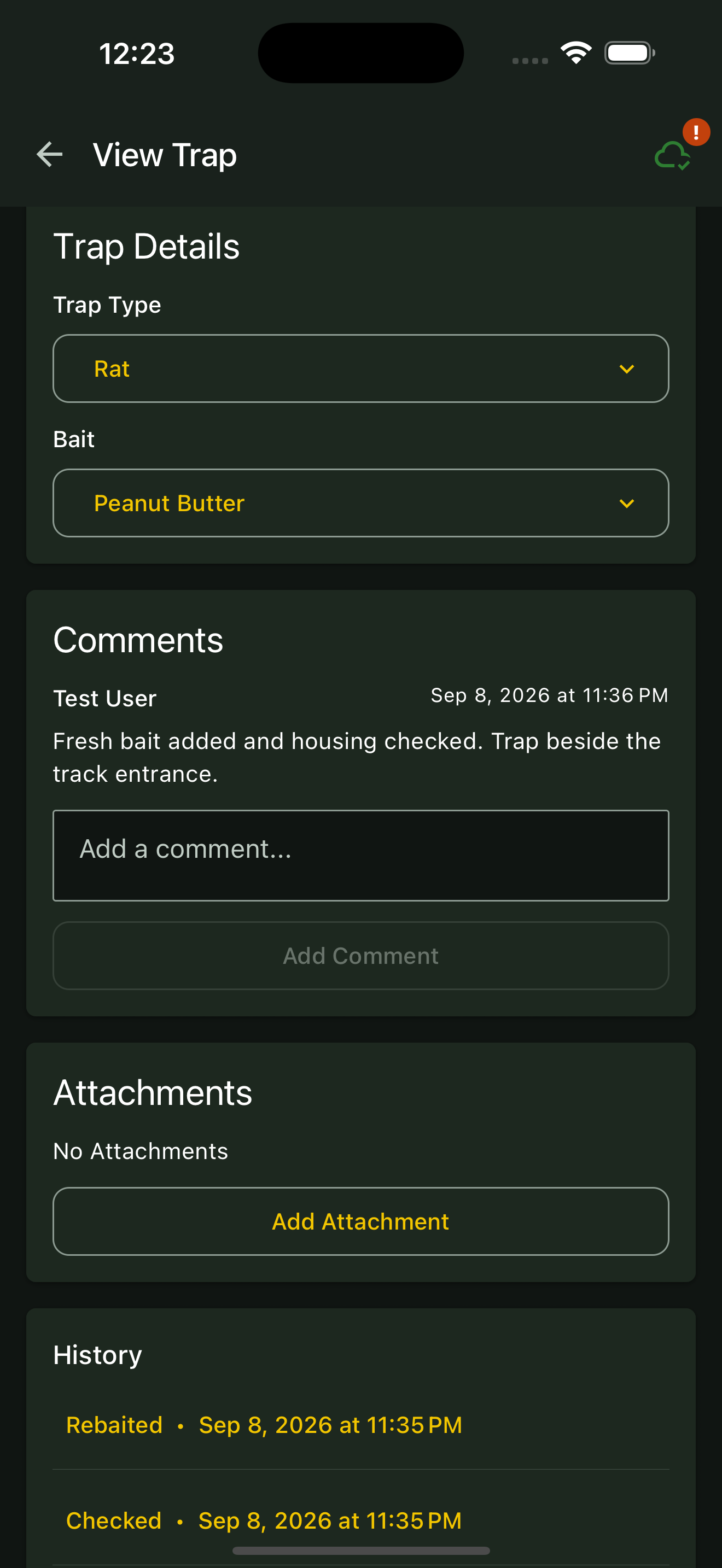
If you replaced the bait, tap Rebaited. Add a comment describing any repairs or other maintenance in Comments, then tap Add Comment.
04
Check the history
Scroll to the trap history and confirm the new activity appears. Each quick action saves a record immediately, so avoid tapping it again for the same action.
Web portal instructions
01
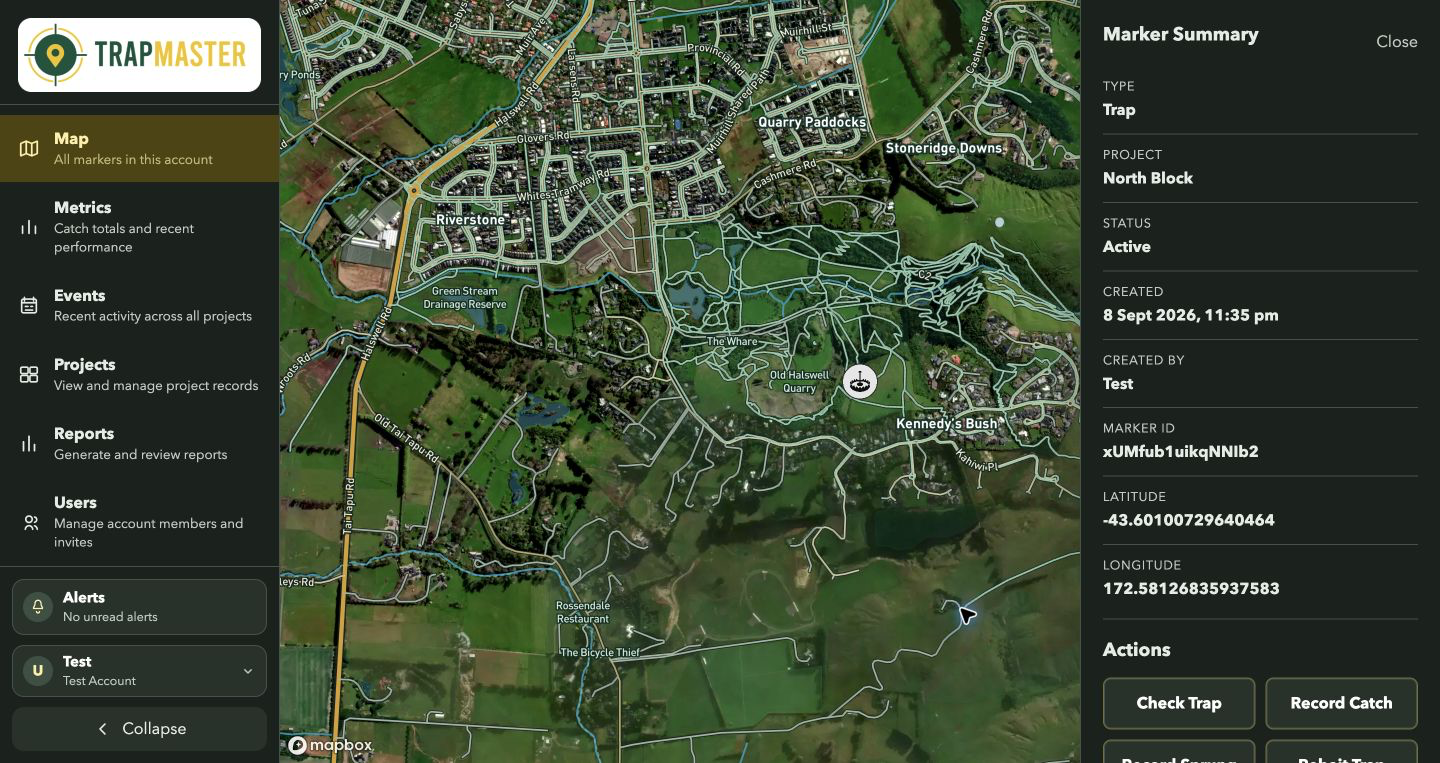
Select the trap
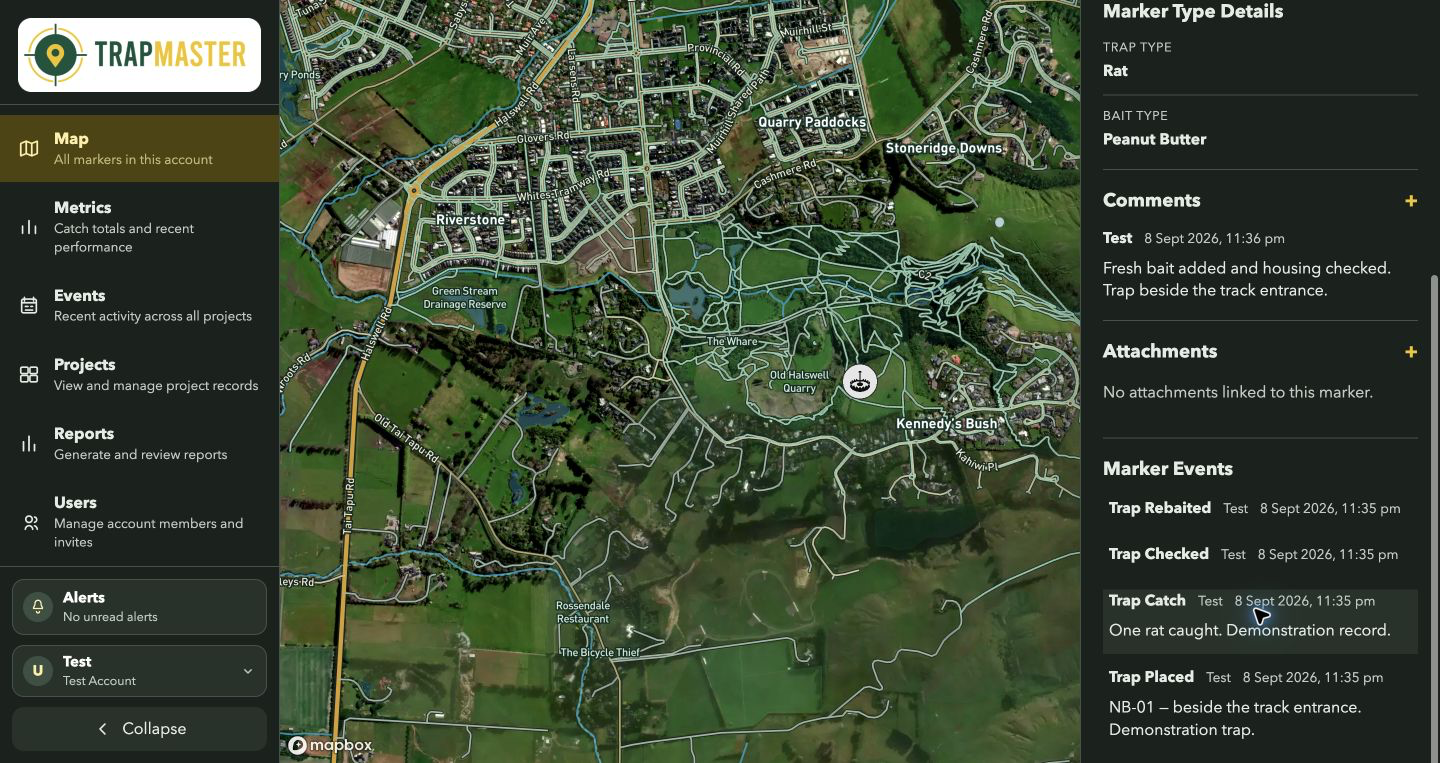
Click the trap on the map to open its details.
02
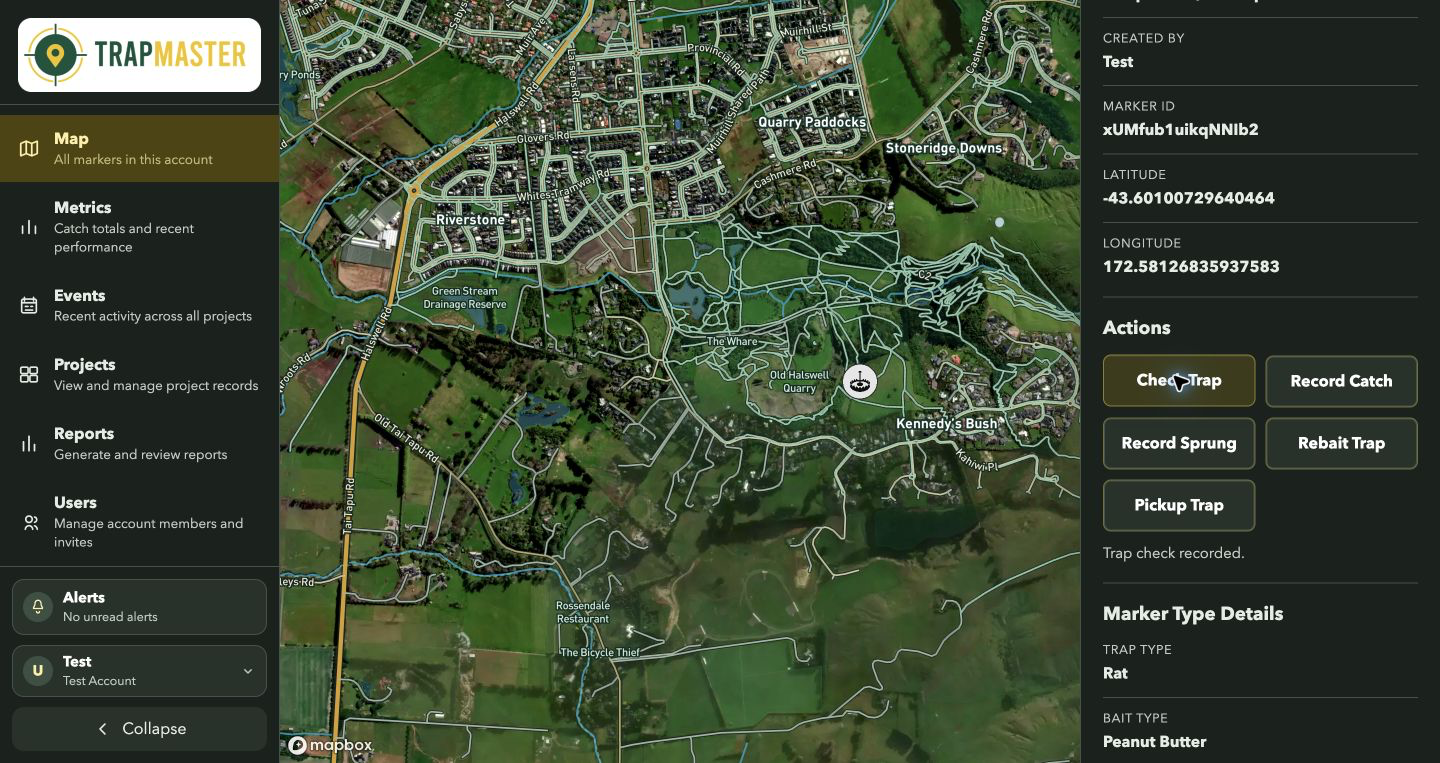
Record the visit
Click Check Trap for a check with no catch, or Record Sprung for a triggered but empty trap. Use Record Catch when a pest was caught.
03
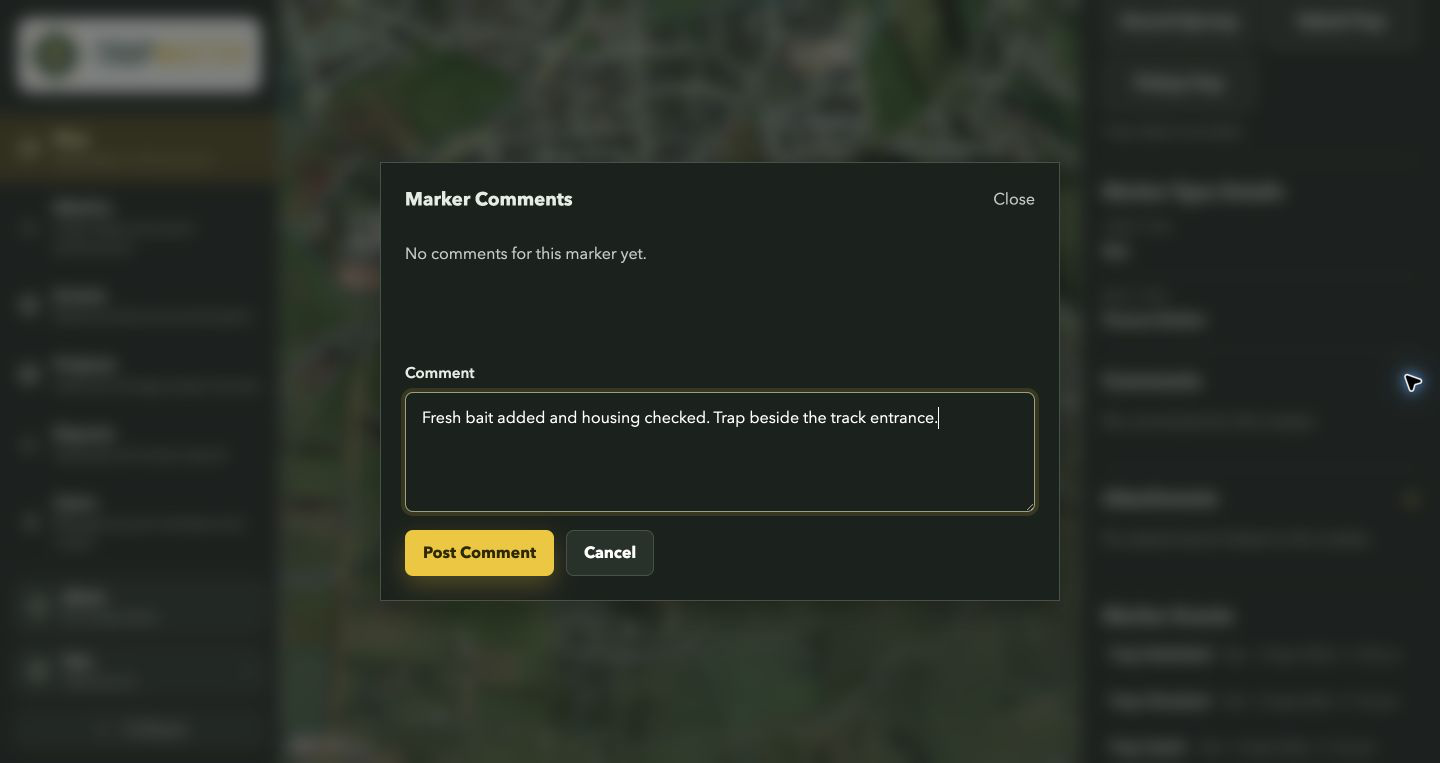
Record servicing
Click Rebait Trap if you replaced the bait. For repairs or other maintenance, click + beside Comments, enter the details and click Post Comment.
04
Review the activity
Check the marker’s event history for the new records before moving to the next trap.